Help
Payment cards


I keep your cards as cards, and turn them over when you ask.
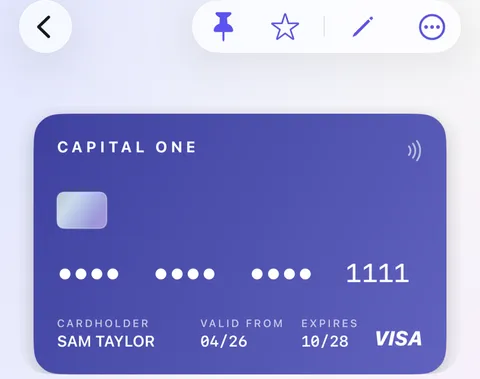
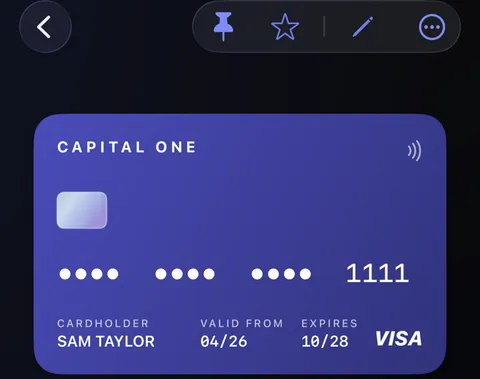
A payment card in Didji looks like a card: its bank's name, the last four digits, the name and the expiration date on the front, just as in your wallet. The full number and the security code are on the back, where nobody glancing at your screen will see them.
- Open the card. The front shows what's printed on the front of the real one. Tap any value on it to copy it; the masked number copies the whole number.
- To see the full number and security code, touch and hold the card. It flips, and the fields beneath show the number, the dates and the security code, ready to copy for a checkout.
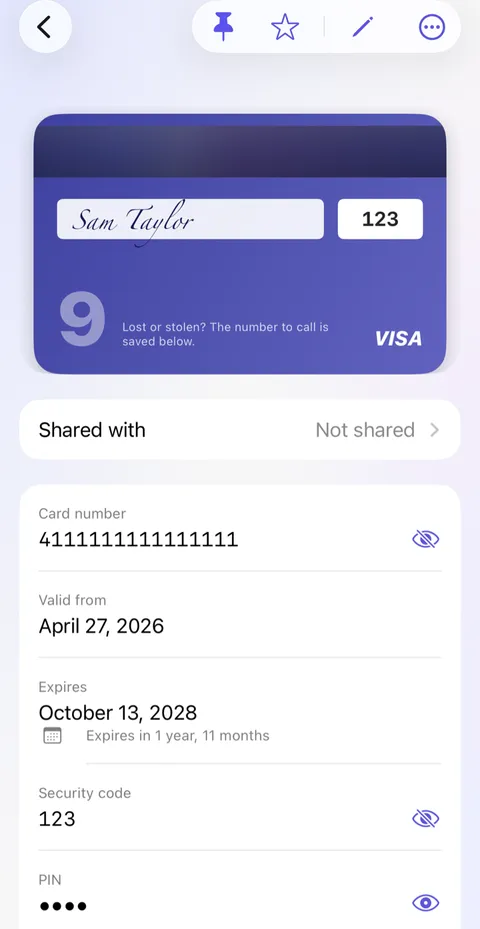
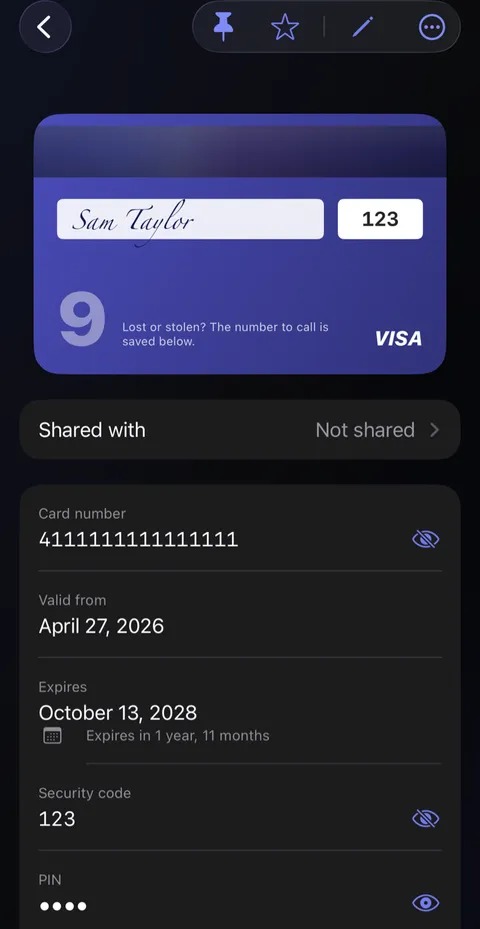
- It turns back by itself after 10 seconds, or touch and hold it again.
The card that turns over
A short cartoon film of an evening on the couch. Alex is buying something on his laptop, but his card is in his coat upstairs, and Biscuit is asleep on his feet. He opens Didji on his phone, holds his card to turn it over to the number on the back, and taps to copy it. The order goes through, and Biscuit sleeps on. The film ends on Didji’s icon and name.
What’s said
- His card’s in his coat. Upstairs.
- And Biscuit is comfy.
- Hold to turn it over. Tap to copy.
- Your cards, ready when you need them.
Good to know
- The PIN is never shown by turning the card over. It stays hidden until you reveal it on its own.
- When adding a card, Scan card reads the number, the dates and the name. It never reads the security code.
- Card color, in the editor, chooses its color. Nothing on a drawn card is the bank's own design.
- Apple's Wallet fills your card on websites. Didji keeps the details and the paperwork around it.
See also
Still stuck?
Write to us at hello@didji.app, and tell us which device you’re using if you can.
Never send a password or your recovery code to anybody, us included. What we can’t do for you.