Help
Medication


A record of what's taken, and why. I'll never remind, track or advise.
Keeping a note of someone's medication is useful at the doctor's office, the pharmacy or the vet, or when someone else is looking after them. Didji keeps the list on their page, and that's all it does.
- Open the person's or pet's page in People & Places. Scroll to the Medication card and tap its .
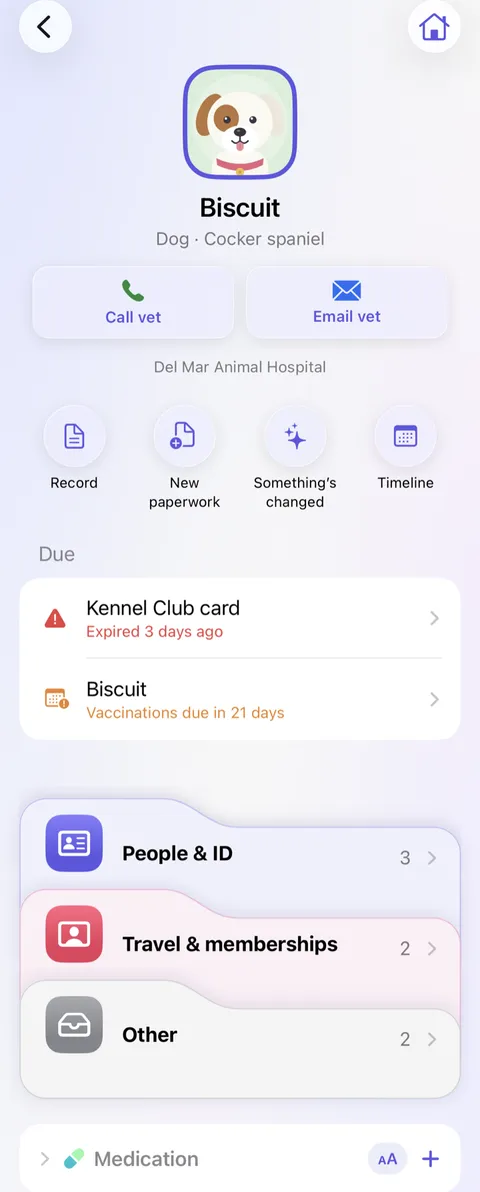
- Type the medicine's name, the Dose, when it Started, and What it's for. Tap Save.
- When it stops, open it, tap the pencil , and fill in Stopped. It moves under No longer taking, faded.
Good to know
- The button on the Medication card shows the whole list in large type, to hold up at a pharmacy counter.
- Didji never reminds anyone to take anything, and never says anything about a medicine.
- The medication card only appears on a page once there's some to show; until then, tap Medication under Add for… at the foot of the page.
- For a hospital appointment, print one: open a medication record, tap , then Print….
See also
Still stuck?
Write to us at hello@didji.app, and tell us which device you’re using if you can.
Never send a password or your recovery code to anybody, us included. What we can’t do for you.