Help
iPad and Mac


The same Didji, with more room to spread out.
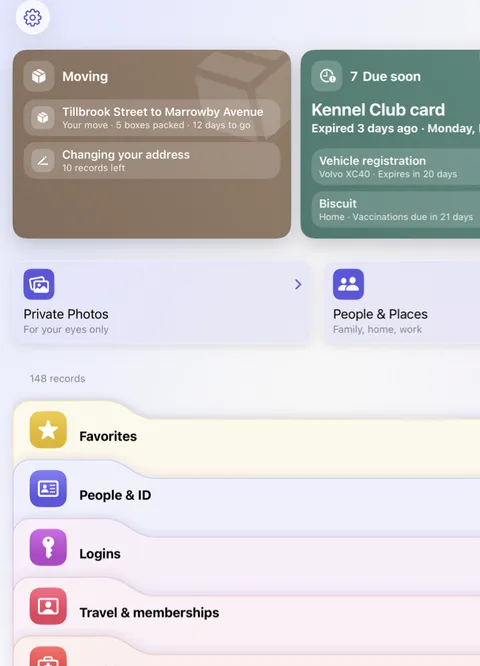
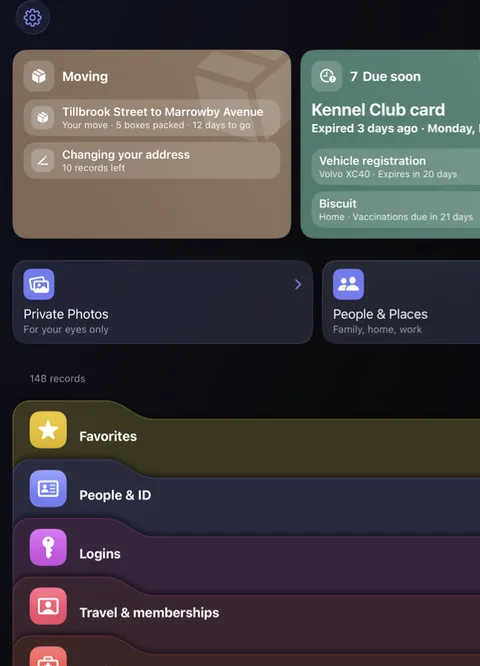
Didji runs on iPad, and on a Mac as the iPad app, with the same vault as your iPhone. Everything works the same way; the bigger screen just shows more at once.
- Install Didji on your iPad or Mac from the App Store, signed in to the same Apple Account as your iPhone. Your vault arrives through iCloud.
- On an iPad, the list fills the screen as it does on iPhone, with the cards along the top and the three small round buttons above the list to narrow it.
- On a Mac, AutoFill fills your passwords in Safari once it's turned on for Didji, with Touch ID.
Good to know
- A Mac can't scan with a camera or join Wi-Fi from a record, and Lock when face down does nothing there. Closing Didji's window on a Mac locks the vault.
- Putting any value into any box, from the AutoFill menu, works on iPhone and iPad but not on a Mac.
- Each device opens with its own Face ID, Touch ID or password.
See also
Still stuck?
Write to us at hello@didji.app, and tell us which device you’re using if you can.
Never send a password or your recovery code to anybody, us included. What we can’t do for you.