Help
Adding something


Everything starts with a template. Tell me what you're adding, and I'll lay out the right boxes for you to fill in.
In Didji: The home screen: the round at the bottom right, in your colour
Every record in Didji (a login, a passport, a car's MOT) starts the same way. You choose what kind of thing it is, and Didji opens a form with the boxes that kind of thing usually has. Fill in what you know and leave the rest: only a title is needed.
- On the home screen, tap the big round at the bottom right, in your chosen colour, beside Search vault. A sheet slides up, titled New.
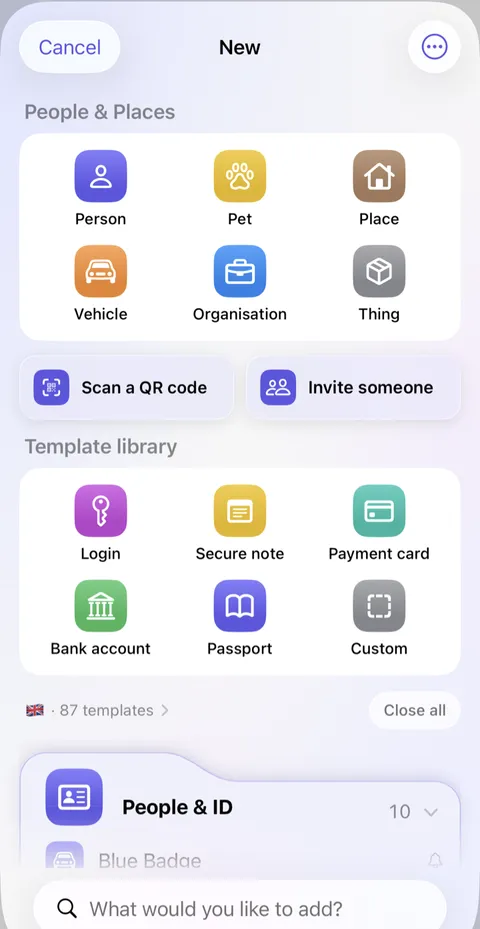
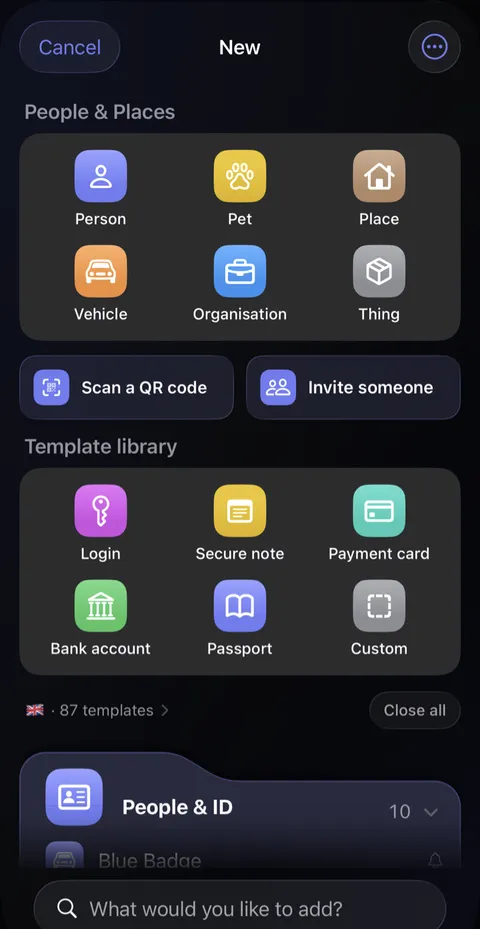
- At the top of the sheet, under People & Places, is a card of six tiles: Person, Pet, Place, Vehicle, Organisation and Thing. Tap one to add someone or something that other records can belong to; it's the same form as in People & Places, and only the name is needed (Place lists the addresses Didji already holds instead). Beneath, after Scan a QR code and Invite someone, comes Template library, a card of six: Login, Secure note, Payment card, Bank account, Passport and Custom. If what you're adding is one of those, tap it.
- If not, scroll down: everything else is grouped into cards by category, such as People & ID and Money. Or type into What would you like to add? at the very bottom of the sheet: "MOT", say, or "pension".
- A form opens. Type a name into the first box, Name it, at the top, then fill in the boxes beneath. Each box has its name above it, like Username or Website; tap the name or the box to type. To change a box's name, tap the small symbol beside it and choose Rename.
- Tap Save at the top right. It stays grey until the record has a title.
Good to know
- Custom, the grey tile, gives you an empty record to build yourself: tap Add field for each box you want. A new field starts with no name, under Name this field. As you type a name, names you've used before are offered above the keyboard; choose one and Didji moves on to the value, offering what you've typed under that name before. Hidden values are never offered.
- Touch and hold any template, then Pin to top, and it joins the top card. Six can sit there.
- To hide a value behind dots, tap the small symbol beside a box's name and choose Hidden. Passwords start hidden. The beside a hidden box shows what you've typed, to check it, and hides it again; it changes nothing on the record.
- Dates start empty. Tap Add a date only when you know it.
- The flags above the category cards show whose countries' documents are offered. Tap them to change.
See also
Still stuck?
Write to us at hello@didji.app, and tell us which device you’re using if you can.
Never send a password or your recovery code to anybody, us included. What we can’t do for you.